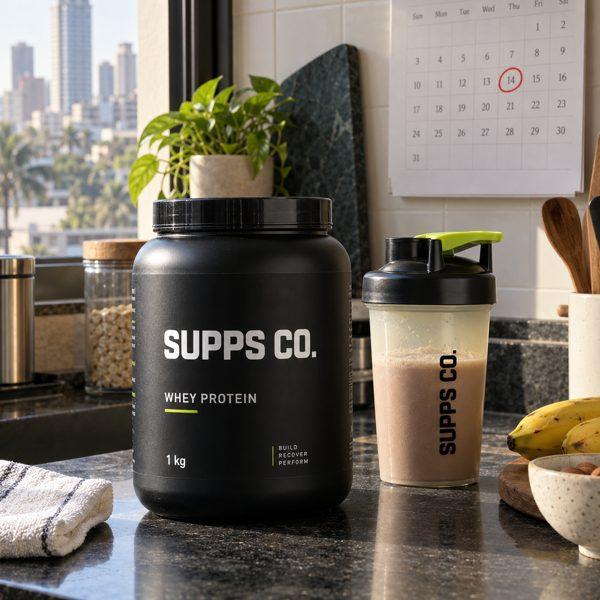
Your first 100 subscribers will not come from ads. They come from people who already buy from you, again and again, and would rather not have to remember to reorder. This playbook turns your subscription offer into a launch: the words, the page, the invitations to your own customers, and the ads that bring in the rest.
Every example uses Supps Co., a fictional whey protein brand with 620 repeat buyers. Its offer: a 1kg tub every month, a 3-month prepaid plan at 20% off or autopay at 10% off, and gifts across the first three deliveries (a shaker, electrolyte sachets, then a surprise). Swap in your own numbers as you go.
Check Five Things Before You Invite Anyone
- Your subscription is live on the product page, and you have placed one real order end to end.
- You have stock for three deliveries for everyone you plan to invite.
- You can legally message them: email, SMS or WhatsApp marketing opt-in.
- The customer portal works: you have paused, swapped and cancelled a subscription yourself.
- Someone owns replies for the first two weeks. Questions are buying signals.
Anything unticked is your first job, before a single invitation goes out.
Write One Sentence That Sells the Subscription
In India the discount gets attention, and your subscription widget shows it anyway. What makes someone subscribe instead of buying once is what you add on top: never running out, a price they can picture, and a way out. Build it in four steps.
- The base: "Subscribe and save 20% on whey." Every subscription brand says this, so it cannot be all you say.
- Add the outcome: "Your next tub arrives before your last scoop."
- Add a price they can picture: "₹64 a scoop, instead of ₹80."
- Give them a way out: "Pause or cancel anytime."
Subscribe and save 20%. Your next tub arrives before your last scoop, at ₹64 a scoop. Pause or cancel anytime.
Rules
- Say "subscription". It is still new to Indian buyers, and "plan" alone does not tell them what they are signing up for.
- Put the discount and the per-use price together: "20% off, ₹64 a scoop".
- Use the same sentence everywhere: product page, landing page, every invitation, every ad.
Avoid
- Numbers the customer cannot check, like "save 50% more".
- "Limited time" on an offer that is always on. That is false urgency.
- Words like "mandate" or "recurring billing" in the promise.
Read your sentence aloud to one customer before you use it anywhere.
Name Plans After What the Customer Gets
Many Indian stores name plans after how the billing works. Name them after what the customer gets, and say whether the plan ends after a set number of deliveries or runs until they cancel.
| Plan | Billing jargon | A name customers understand |
|---|---|---|
| 3 deliveries, paid upfront | 3x Prepaid | 3-Month Subscription |
| 6 deliveries, paid per delivery | PAYG x6 | Pay per delivery |
| 12 deliveries, charged automatically | Autopay Subscription, 12 deliveries | 12-Month Autopay |
| No end date | 98 deliveries | Every month, until you cancel |
- Three or four words for the name.
- Fixed-term names carry the length ("3-Month"). Open-ended names say "until you cancel".
- Honest badges: "Best value" goes only on the plan that is.
On StackBack, the widget already shows the details under each name: pay upfront or per delivery, how often, how many deliveries, the discount and the freebies. You only choose the name, and every label can be customised.
Put the Subscription Under the Price, Above the Buy Button
A buyer should see the subscription before they decide how to buy. Check your product page on a phone against these seven points before you send any traffic to it.
- Placement: under the price, above the buy button.
- One-time stays plain and visible. The buyer picks the subscription; nothing is added to their basket for them.
- The discount, front and centre: "Up to 20% off on subscriptions". It stops the scroll.
- Plan names with the length, and "Best value" marked honestly.
- How they pay, in one tap: upfront or per delivery.
- Freebies, how it works, and the way out, all visible before checkout.
- The full charge on the button: ₹5,760, with "3 deliveries · ₹1,920 each · billed once" beside it.
Send Campaign Traffic to a Subscription Landing Page
Send invitations and ads to a landing page built for the subscription, not your general product page. It has one job: get this person subscribed. On StackBack you pick the product and the page is laid out for you, with your plans, freebies and FAQs pulled in. Top to bottom, it has ten sections:
- Product and photos: the product, not your whole store.
- Pick variant and pack: one decision at a time.
- Pick the subscription: pay upfront or per delivery, the rhythm, the freebies.
- Trust strip: UPI logos, free shipping, cancel anytime.
- Quick answers: autopay, when they are charged, adding, swapping and pausing.
- How subscriptions work: the steps for the way they chose to pay.
- Reels and reviews: real customers on subscription.
- Complete the routine: other subscriptions and bundles.
- Full FAQ: every question, answered in a line.
- Sticky subscribe bar: the button never leaves the screen.
Use the landing page for invitations, retargeting and past-buyer ads: those people already want the product. Keep the product page for people browsing your store, who are still choosing.
Set Up Your Subscription the Right Way
Plans, the subscription landing page, the "How subscriptions work" explainers and the customer portal, on your own Shopify store.
Explain How Subscriptions Work for Each Way of Paying
"How subscriptions work" is different for each way of paying. Show the version for the one the customer picked, in four lines.
| Prepaid: pay upfront | Pay-as-you-go: pay per delivery | Autopay: pay per delivery, automatically | |
|---|---|---|---|
| Today | Pay once for every delivery in the subscription. | Pay for your first delivery only. | Pay for your first delivery and approve autopay once, in your UPI app. |
| Before each delivery | Nothing to pay. It ships on schedule. | We email you a link to pay. Pay, and it ships. | A notice 2 to 3 days ahead, then the charge. |
| Change | Add, swap or reschedule from the customer portal. | Add, swap or reschedule from the customer portal. | Swap, reschedule or pause before the charge, from the customer portal. |
| Stop | Cancel from the customer portal. [Your policy for unused deliveries.] | Cancel from the customer portal. Nothing is ever charged automatically. | Cancel from the customer portal. |
Every change and every cancellation happens in the customer portal, so make it easy to find: add a Manage Subscriptions link to your store's navigation menu. No subscriber should ever have to email you to change a delivery. On StackBack, these lines go into the widget's "How subscriptions work" pop-up and the landing page FAQ, and the portal link is ready to add to your menu.
Invite Your Best Customers First
Start with the people most likely to say yes, and give each group its own reason. Build each list once in Shopify, under Customers › Segments.
1. Loyalists
They already buy the pack again and again; a subscription just saves them the effort. Segment: products_purchased MATCHES (id = PRODUCT_ID) AND number_of_orders >= 2. Offer: the 3-Month Subscription.
2. Due Now
They bought once, about one cadence ago, and their pack is running out. Segment: products_purchased MATCHES (id = PRODUCT_ID, date <= -25d) AND number_of_orders = 1. Offer: every month, until you cancel.
3. Lapsed Regulars
They ordered twice or more, then stopped. Segment: number_of_orders >= 2 AND last_order_date < -60d. Offer: the plan plus a welcome-back gift.
4. Two-Pack Buyers
They buy two of your products, and one box beats two orders. Segment: products_purchased MATCHES (id = A) AND products_purchased MATCHES (id = B). Offer: a bundle or build-your-own box.
Change the days to match your own delivery rhythm. Then leave out:
- Anyone without marketing consent. Add
email_subscription_status = 'SUBSCRIBED', or the SMS version, to each list. - Existing subscribers. StackBack tags their orders "subscription"; a Shopify Flow that copies the tag onto the customer lets you exclude them.
- Anyone with an open complaint or return. Fix that first.
Write an Invitation About Their Habit
Keep it short, personal and about their habit. Every invitation has the same four parts:
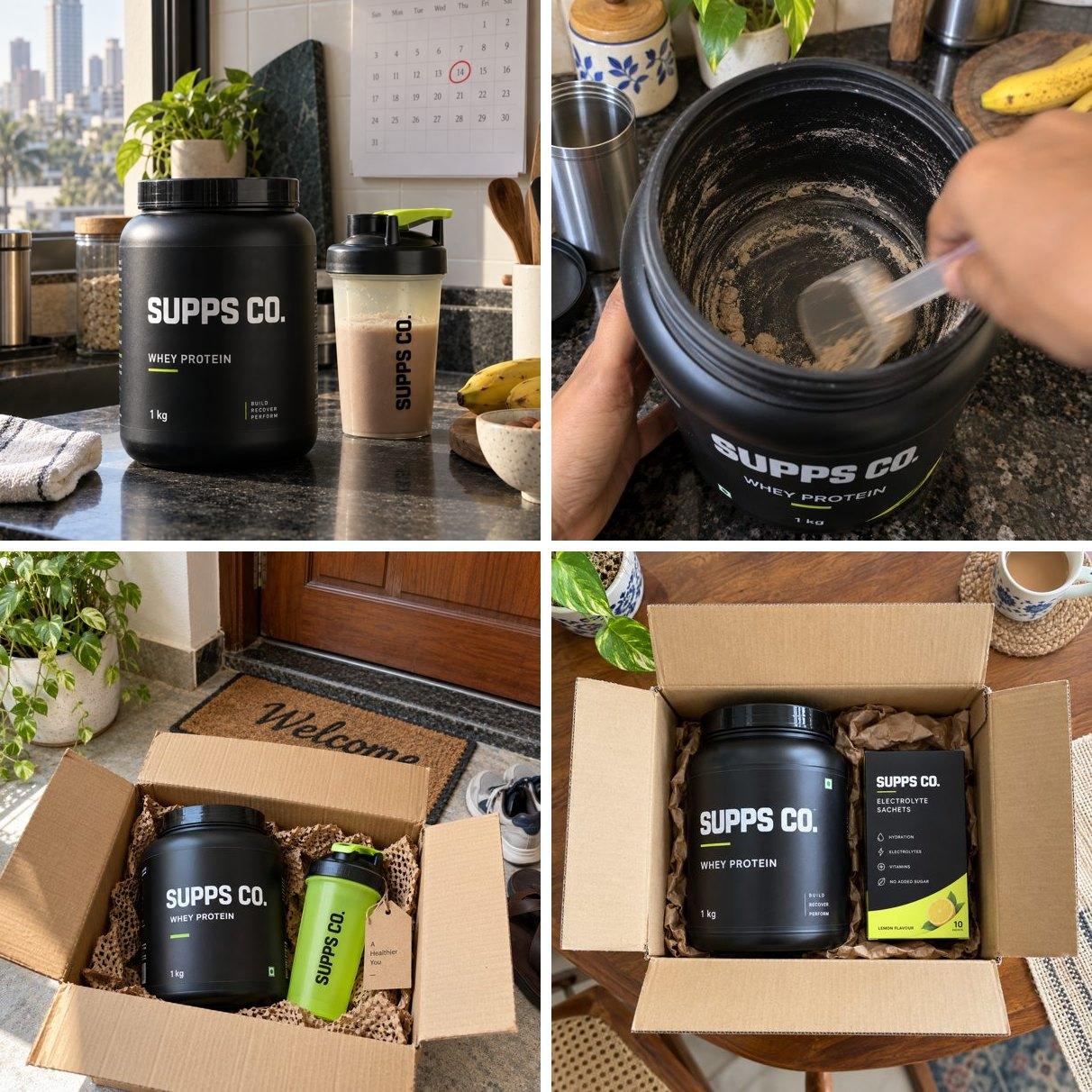
- An image of the product in their life, not a catalogue shot: the kitchen, the empty tub, the box at the door.
- Their habit in the first line: how often they buy, or that they are about to run out.
- "Subscribe" with one price: the discount, or the price per scoop.
- One button to the landing page, plus "pause or cancel anytime".
For Loyalists
Hi Priya, you have bought our 1kg whey 4 times. Subscribe and it arrives every month: 3 tubs for ₹5,760, that is ₹64 a scoop, and a free shaker with your first delivery. Pause or cancel anytime. [Subscribe now]
For Customers Due Now
Hi Arjun, your whey tub is probably running low about now. Subscribe and save 10%, with the next tub delivered every month. Change or cancel anytime from your customer portal. [Subscribe now]
For Lapsed Regulars
Hi Meera, it has been a while since your last tub. Try it on subscription this time: 20% off every tub and a free shaker with your first delivery. Pause or cancel anytime. [Subscribe now]
For Two-Pack Buyers
Hi Kabir, you buy our whey and our electrolytes. Get both in one monthly subscription box at 20% off. Pause or cancel anytime. [Build my box]
Send Three Times, Then Stop
Time the first message to when their pack runs out, follow up twice, then stop. Three touches per round, never a drip that never ends.
- Invite when their pack is due. For loyalists, any day this week.
- Nudge anyone who did not open or tap, on a different channel: email to WhatsApp, or the reverse.
- Answer the top worry ("pause or cancel anytime") and mention the freebie.
- Stop, and wait one full cadence before the next round.
| If they… | You… |
|---|---|
| Tapped but did not buy | Send "How subscriptions work" for the way of paying they looked at, with the landing page link. |
| Replied with a question | A person replies the same day. Questions are buying signals. |
| Bought one-time instead | Stop this round, and invite them again at their next reorder. |
| Subscribed | Stop immediately and send the welcome. |
| Said stop or unsubscribed | Never message them about plans again. |
Run the full round for list 1 before you start list 2.
Use Ads to Sell the Subscription Only to People Who Know You
Strangers buy a product. People who already know you buy a subscription. Split your ad budget into three levels, and let the subscription lead only in the last two.
| Audience | What the ad sells |
|---|---|
| Never heard of you (cold audiences) | The product: the problem it solves and why yours. The subscription is a line at the end, not the hook. |
| Visited or engaged (retargeting) | The smart way to buy: the promise sentence, the per-use price, pause anytime. Send them to the landing page. |
| Bought before (past-buyer lists from Shopify) | The subscription, directly: their habit, the subscription, the freebie. The cheapest subscribers you will ever get. |
- Upload your four invite lists as custom audiences, so the ad repeats the invitation they got by message.
- Exclude current subscribers from every subscription ad. Selling them what they already have wastes budget and annoys them.
Every ad sells one reason to subscribe, ends on your promise sentence and links to the subscription landing page. Four briefs for Supps Co.:
Static Image: The Price
- Headline: "₹64 a scoop on subscription. ₹80 if you buy one at a time."
- Visual: the tub with two price tags side by side, the lower one in lime, plus the free shaker.
- Sticker: "Subscribe & save 20%".
- Never: a bare "20% OFF" with no product and no reason.
Customer Video: The Reschedule (30 Seconds)
- 0–3s: "I was travelling, so I pushed my protein delivery by a week. Took ten seconds."
- 3–20s: on her phone: the customer portal, the reschedule, then the box arriving after the trip.
- 20–30s: "20% off and I never run out."
- Never: an actor listing features at the camera.
Reel: Day 30 (15 Seconds)
- 0–3s: close-up of a scoop scraping an empty tub. Text: "Day 30."
- 3–10s: the doorbell. The new tub is already at the door.
- 10–15s: text: "Subscribed. Delivered before the last scoop." Then the price.
- Never: small print about autopay as the hook.
Founder-Led: Why We Built It (45 Seconds)
- Open: "Most of you buy our whey every month, so we made it a subscription."
- Middle: the widget on screen: pay upfront or per delivery, the 20%, the free shaker.
- Close: "Pause or cancel from your customer portal, anytime. That is a promise."
- Never: reading out a discount code.
Launch them to past buyers first, then to retargeting. This sequence is our recommendation, built from how subscription brands run their ads; test it against your own numbers.
Answer Every Objection in One Line
Every unanswered question is a lost subscriber. Answer each one in a single line, and put it where the question comes up.
| They ask | You answer | Where it goes |
|---|---|---|
| "I'll get locked in." | Pause or cancel anytime, from the customer portal. No calls, no emails. | Under the subscribe button |
| "I don't trust autodebit." | You approve it once when you subscribe, get a notice 2 to 3 days before every charge, and can pause or cancel from the customer portal. Or choose Pay-as-you-go. | The autopay explainer |
| "I'm travelling next month." | Reschedule or pause the next delivery from the customer portal. | Landing page quick answers |
| "What if I don't like the flavour?" | Swap to another flavour from the customer portal, for any upcoming delivery. | FAQ |
| "I only pay cash on delivery." | Try Pay-as-you-go: no autopay, and you pay online only when each delivery is due. | Landing page FAQ |
| "What if quality drops?" | It is the same product as a one-time order. [Your guarantee here.] | Reviews and FAQ |
Every question a customer asks in a reply goes into this table. After two rounds, your FAQ writes itself.
Track Five Numbers per List
Follow each list down these five steps. The first number that drops sharply tells you exactly where the problem is.
| Step | If it is low, fix |
|---|---|
| Opened or seen | The first line and the sender name |
| Tapped through | The promise sentence and the offer for that list |
| Started checkout | The landing page: plan names, the discount, the full charge |
| Paid: a subscriber | The payment step: the autopay worry, or a missing Pay-as-you-go option |
| Paid for delivery 2 | The welcome and the first repeat |
- Count at the end of each round, once the stop date has passed. Not daily: the follow-ups are still working.
- The headline number is paid subscribers, counted as people. Mandates, carts and signups are steps, not subscribers.
- Change one thing at a time. If you rewrite the message and the page together, you will not know which one worked.
Widen to the Next Group One Round at a Time
Work outwards in this order: loyalists, then customers due now, then lapsed regulars, then two-pack buyers, and only then new customers through ads and the product page. Each ring out is bigger and colder, so it needs your best message, not your first. Move to the next list only when:
- the round's stop date has passed,
- you have fixed its first weak number, and
- you have stock for the next list.
Lists refill every month with new repeat buyers and new people due. Re-run the segment queries before each round, and invite only the new names.
Make Delivery 2 Land
Most early subscribers are lost before their second delivery, not after their tenth. The welcome and the run-up to delivery 2 decide it.
- In the first box, add a card: "Your next tub arrives on [date]. Change it anytime: scan to open your customer portal. Your next gift: 10 electrolyte sachets in box 2."
- In the welcome message, say what they bought and what it cost in one line, give the next delivery date and what is in it, and add one link to the customer portal.
| They pay by | Before delivery 2 | Make sure |
|---|---|---|
| Prepaid | Nothing to pay. It ships. | It ships on the date you promised, with the gift. |
| Pay-as-you-go | Their first payment link arrives by email. | The email says what, when and how much, and that it is their subscription. |
| Autopay | The first automatic charge, after a notice. | The notice matches the exact amount they will see. |
On StackBack, Pay-as-you-go payment links go out as StackBack emails, autopay sends a notice 48 to 72 hours ahead, and a failed charge is retried up to three times before the subscription pauses. Before launch, take one test subscriber through delivery 2 on each way of paying.
Your Launch Checklist
Fill in every line before list 1 goes out. An empty line is your next job.
| Item | Supps Co. example |
|---|---|
| Promise sentence | Subscribe and save 20%. Next tub before your last scoop, ₹64 a scoop. |
| Plan names | 3-Month Subscription; Every month, until you cancel |
| Full charge line | 3 deliveries, ₹1,920 each, ₹5,760 billed once |
| Landing page link | supps.co/products/whey |
| How it works, per way of paying | Prepaid and autopay versions written |
| Lists and sizes | Loyalists 620; due now; lapsed regulars; two-pack buyers |
| Invitation per list | Loyalists: subscribe, ₹64 a scoop, free shaker |
| Round dates | Day 0, day 2, day 5, then stop |
| Ad audiences | Retargeting and past buyers; subscribers excluded |
| Objection answers placed | Lock-in under the button; autopay in the explainer |
| Five numbers per list | Seen, tapped, checkout, paid, paid twice |
| Welcome and delivery 2 | Insert card; gift in box 2; notice checked |
Frequently Asked Questions
Where should my first subscribers come from?
From people who already buy from you: repeat buyers, customers due for a reorder, lapsed regulars and people who buy two of your products. Invite them before you spend on ads.
Should I offer prepaid or pay-per-delivery plans?
Both, if you can. Prepaid earns the bigger discount and suits buyers who think in totals. Paying per delivery, with autopay or a payment link each time, lets cautious buyers start without paying for three deliveries at once.
How many messages should I send?
Three per round: the invitation, one nudge on a different channel, and one answer to the top worry. Then stop, and wait one full cadence before the next round.
What counts as a subscriber?
A person who has paid for a subscription. Count people, not contracts, carts or mandates.
How do I stay within India's dark-pattern guidelines?
Keep the one-time option visible, let customers choose the subscription themselves, show the full charge before they pay, make cancelling easy from the customer portal, and never use false urgency.